
kadmo / liber
DESKTOP APP / PDF → EPUB
Liber
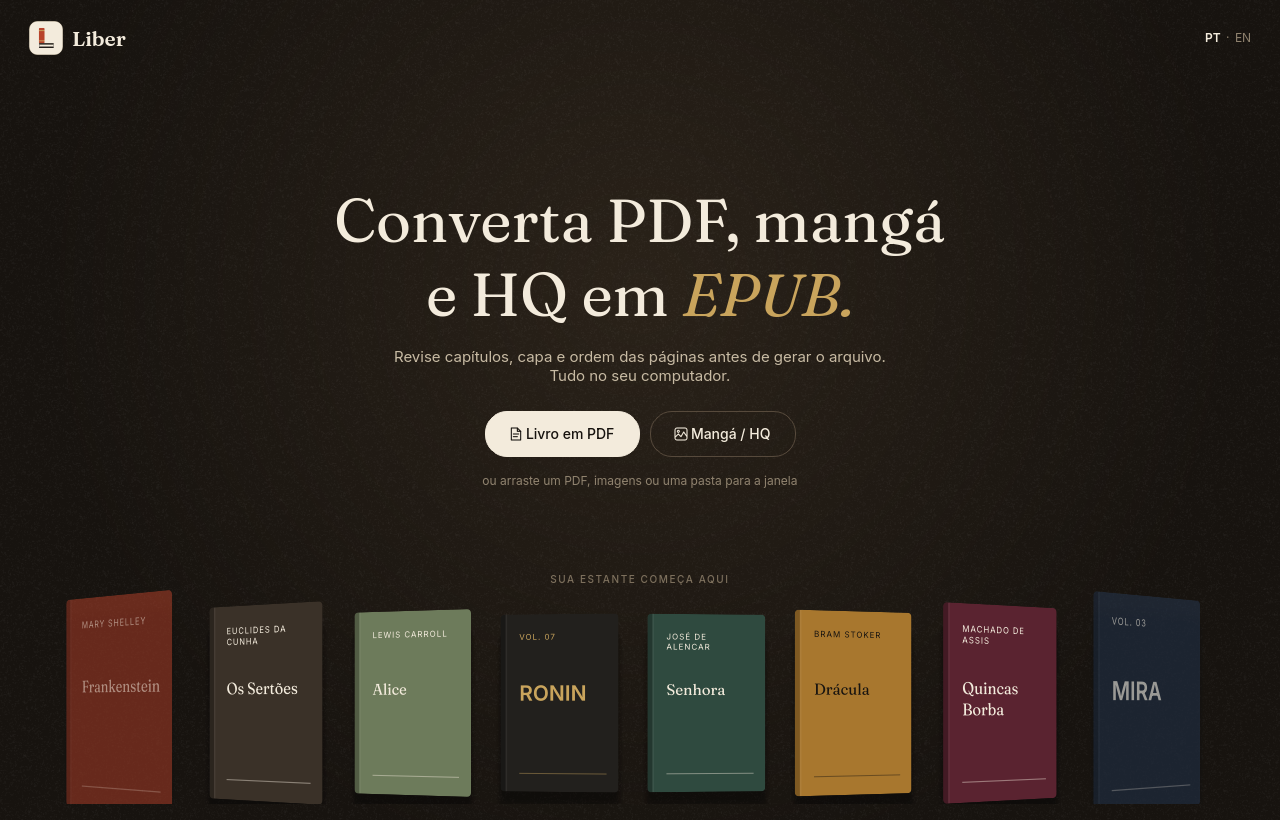
Convert PDF, manga and comics into EPUB.
You review chapters, cover and page order before generating the file. Nothing leaves your computer.
“Book” in Latin, and also “free”.
Liber turns PDFs into reflowable-text EPUBs and manga or comic pages into fixed-layout EPUBs, with a review step in between. No file is sent to the internet.
Book or comic, each in its own way.
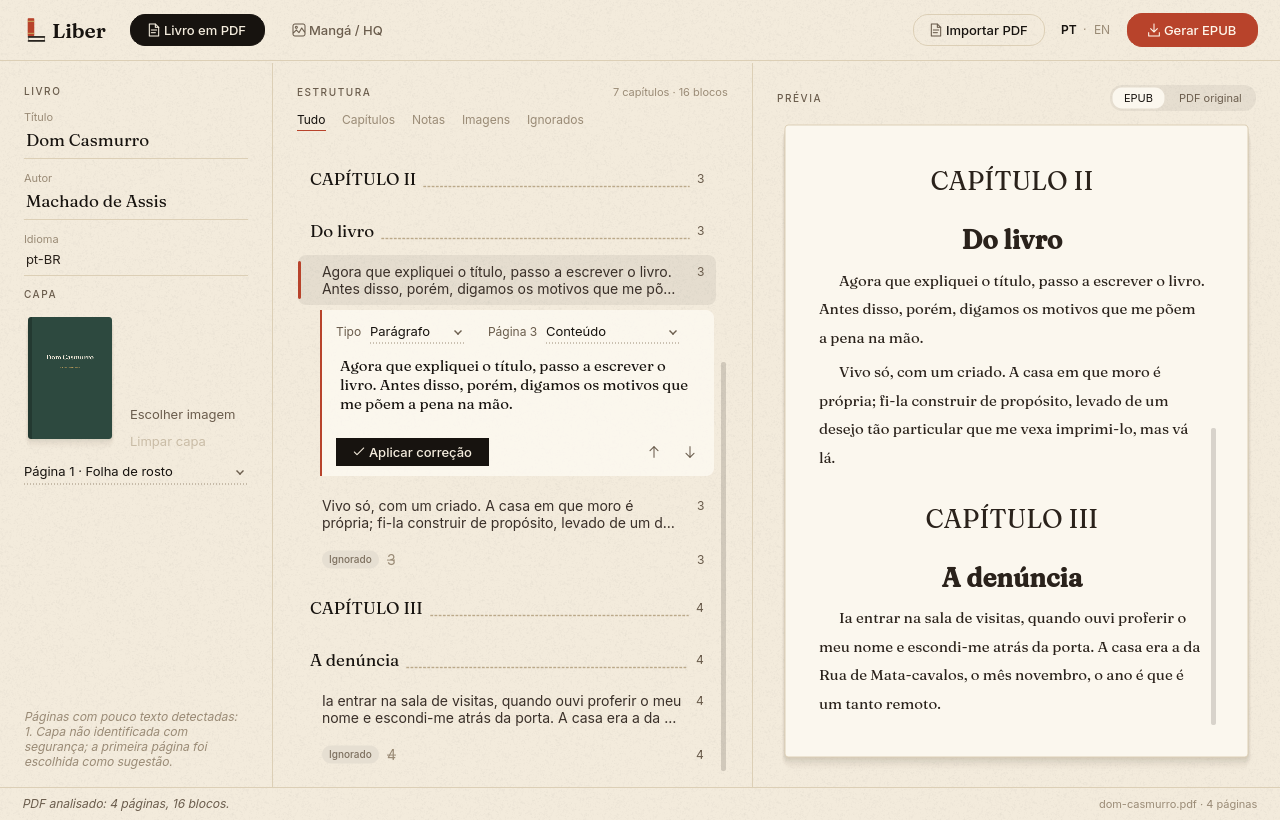
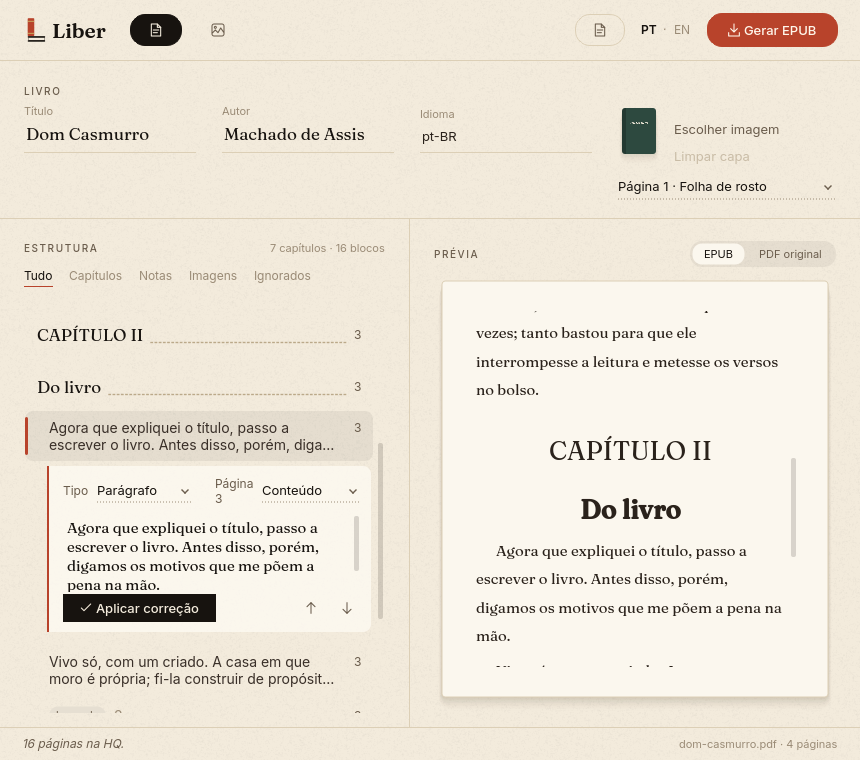
PDF book → reflowable EPUB
- Detects chapters, headings, images, notes, likely covers and front pages.
- Removes repeated headers, footers and page numbers.
- OCR in Portuguese and English on scanned pages, with Tesseract installed.
- Table-of-contents-style structure: fix the text, change the block type and reorder.
- Compares the EPUB preview with the original PDF page.
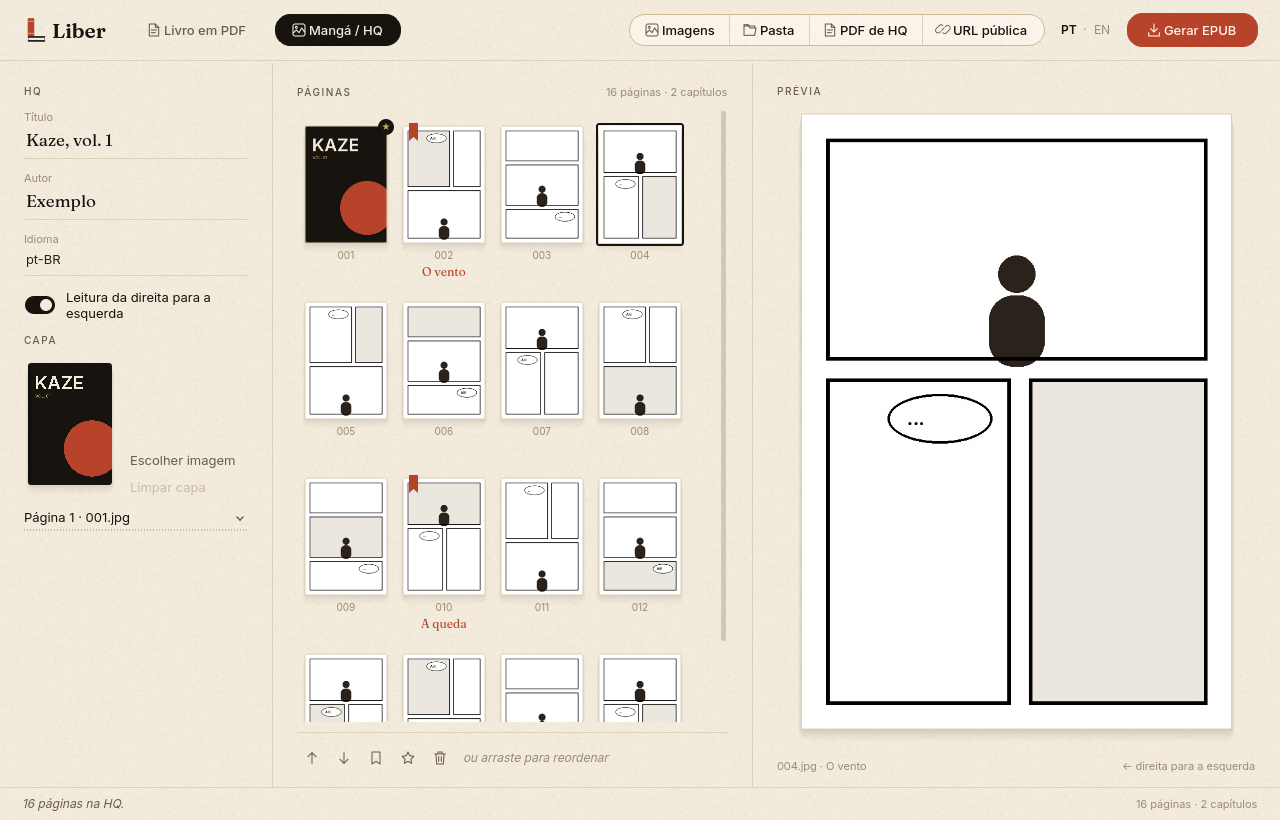
Manga / comics → fixed-layout EPUB
- Imports images, a whole folder (2 before 10), a comic PDF or the images from a public URL.
- Reorder by dragging the thumbnails.
- Mark the cover (★) and the start of each chapter.
- Reads right-to-left or left-to-right.
- Respects EXIF rotation and mirroring of photos.
Import, review, generate.
- ImportPick PDF Book or Manga / Comics, or drag files anywhere onto the window.
- ReviewCheck the structure, the cover and the page order before generating.
- Generate the EPUBOne click, and your e-reader controls font and text size.
Your files never leave your computer.
PDFs and images are processed locally. The only network access is URL import, when you ask it to download the images of a page. Original files are never modified.
One ZIP per system.
| System | File | Open |
|---|---|---|
| Windows 64-bit | ConversorEPUB-windows-x64.zip | ConversorEPUB.exe |
| macOS, Apple chip | ConversorEPUB-macos-arm64.zip | ConversorEPUB.app |
| macOS Intel | ConversorEPUB-macos-x64.zip | ConversorEPUB.app |
| Linux 64-bit | ConversorEPUB-linux-x64.zip | ConversorEPUB |
No need to install Python. The apps aren't digitally signed yet, so macOS and Windows may show a warning on first launch. The repository explains how to proceed.
Shelf, drag and drop, narrow windows.
The home screen shows the latest generated EPUBs on a shelf. The interface is available in Portuguese and English.
Open source, AGPL-3.0 license.